


Late Sunday afternoon, news broke out that OpenClaw founder Peter Steinberger is joining OpenAI.

This week’s lesson was already on its last draft by the time this news was announced, so I feel like I’m extremely aligned with the times. Not to say that all the hype around OpenClaw the past few weeks hasn’t helped my “intuition,” but this just confirms that design talk is now extremely behind.
It’s important to understand the basics of how AI works and the building blocks of LLMs and LLM interactions, but OpenClaw is just the first example of the future of design I’ve been harping on about for the past two years.
The future will be about designing multi-agent experiences.
The question is, are we ready to start designing experiences that might not rely only (or at all) on click/tap interactions? Are the majority of us equipped to work on such experiences? I don’t know.
What I do know is that if we understand the build and technical possibilities of these systems, we will have an easier time innovating and ultimately designing these experiences.
The Anatomy of an AI Agent

IBM Defines an AI Agent as the following:
AI agents are machine learning models that mimic human decision-making to solve problems in real time. In a multi-agent system, each agent performs a specific subtask required to reach the goal and their efforts are coordinated through AI orchestration.
While generative AI models focus on creating content based on learned patterns, agentic AI extends this capability by applying generative outputs toward specific goals. OpenAI’s ChatGPT might produce text, images or code, but an agentic AI system can use that generated content to complete complex tasks autonomously by calling external tools.
Understanding the anatomy of an agent helps design these new experiences.
The Reasoning Engine is the brain of the agent. It takes in context and reasons what to do next, generating a plan. This is where the probabilistic nature we discussed in Week 1 comes in, because the agent’s decision making is uncertain.
The Tools are the agent’s hands. An LLM can only generate text, so to actually do things out there on your device or on the internet, the agent needs access to tools or functions it can call. Searching the web, looking through a database, sending an email, creating a file… these are all possible because it has the ability to access an existing tool that helps it execute these tasks.
Memory is the agent’s… well, memory. Agents need to remember conversations, context, what they’ve done, what they’ve learned, and what the user cares about. There’s short-term memory that focuses on the current task, working memory that focuses on the current state of the plan, and long-term memory that remembers user preferences, conversations, action history, and other accumulated knowledge.
The orchestration loop is the engine that ties it all together. The agent operates in a cycle—first perceiving the current state, then reasoning what to do, taking an action, and finally observing the result, repeating the loop if necessary. This loop runs until the task is complete, the agent gets stuck, or it decides it needs human input.
From a response machine to an orchestration machine
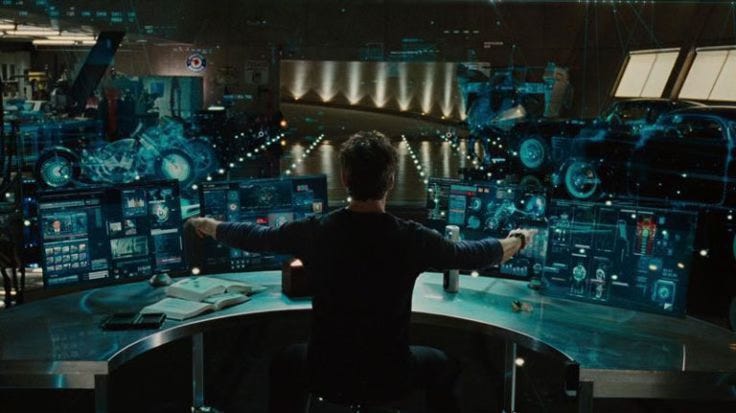
Your current everyday interactions with AI are still very input-output based. You ask ChatGPT or Claude a question and it responds. You probably go back and forth a couple of times before you get to what you need, but the whole time you’re really driving the interaction. Whatever the AI responds with, it’s on you to decide what your next action is.
Example
Let’s say you’re in charge of planning a team offsite somewhere in the Hudson Valley. You can use an AI chat to help you plan by giving it a prompt like “give me accommodation ideas in the Hudson Valley for 12 people.” The chat will give you a list of accommodations which you will then go through to check availability and compare pricing. After doing the research and narrowing down to a few options, you will then coordinate calendars and email/call to make and confirm a reservation.
With a chat, researching options and contextual recommendations have become much easier. However, there’s still a lot of manual work post research that you have to do.
An AI agent works a little differently. A user gives an AI agent a goal and it is on the agent to figure out how to accomplish it. The agent might break the goal into steps, decide which tools to use and install, and after executing on those steps, it evaluates the result and corrects itself if the result is not quite what the user asked for.
Example
Instead of prompting your agent to give you a list of accommodations, you would prompt it to actually plan the team offsite. You might prompt something like “Plan a team offsite in the Hudson Valley for 12 people sometime in March. The budget is $5000. Book the best option.” The agent (or a collection of agents) will then do everything from searching for accommodation and checking availability against your team’s calendars, to drafting a booking request. The agent then comes back with a final recommendation or just books it, depending on its configuration.
Steps and interactions with these types of systems scale back significantly, with the user ultimately going from the driver’s seat to the passenger seat.
How this shifts design priorities
Agentic systems break several core assumptions that traditional UX and even GenAI UX relies on. The future of design will be focused on designing easy delegation, process supervision, error prevention, and execution.
1. You’re no longer designing multi-step flows or a conversation, you’re designing delegation and supervision
In an agentic system, the user gives the agent a goal and the agent takes over from there. As a designer, our thinking now shifts from “What does the user need to be able to do?” to “What does the user need to know?”
We need to understand the agent process and what the user needs to see, know, and allow during that process. We start asking questions like:
What is the agent allowed to do?
How much should it do before checking in?
What happens when it makes a mistake on Step 3?
How does the user even know what the agent is doing?
Experience design becomes more about what information the user needs to see and when, as well as when the system needs feedback.
2. Control and intervention become the most important interactions
What happens when a user is waiting and watching an agent work, only to realize it’s going in a completely different direction? How do you as a designer decide when the user can or can’t intervene or how much control over the process they have post delegation?
If the agent has already sent an email on your behalf and is now working on step two of booking, you can’t just undo sending an email. This is why a lot of work will go into thinking through different scenarios before feature and flow design, and why we will need to anticipate the worst cases and design for them.
3. Trust needs to be reiterated and built, not assumed
I think the biggest topic in AI is and always will be safety and trust. The doom and gloom predictions always talk about agents going rouge and behind the user’s back. So how do you create experiences that user’s trust?
Distrust of an agent can be managed by helping users develop an accurate mental model of what the agent can and can’t do. New users might need more hand holding through the agent process, seeing more confirmations, more explanations, and more chances to review the agent tasks. Over time, the user can then choose to “trust” the agent more, allowing the interface to progressively reduce confirmations and pauses in the agent process.
4. Designing for error prevention or correction now becomes designing for failure diagnosis
If an agent makes even one wrong assumption during the process it can lead to a domino effect of bad decisions. By the time the user sees the final result, the root cause might be buried several layers deep, and the user is left to clean up the mess IRL.
That’s why designing transparency and diagnostic experiences will be important. Users need to be able to trace back through the agent’s decisions and understand where things went wrong. Typical error messages like “something went wrong” are useless in this context, because the agent doesn’t think anything is wrong. The interface needs to show the chain of reasoning so you can stop it in time or go back and determine where things went wrong.
This Week’s Challenge
Pick a task you do regularly at work or in your personal life. Try thinking of something that takes 30 minutes or more and involves multiple tools or systems.
Map it as an agentic workflow:
What is the goal you’d give to an agent?
What tools and access would the agent need? (email, calendar, database, files, web search, etc.)
Break the process into steps.
Which steps could the agent handle autonomously?
Which ones need your approval?
Where are the potential failure points? What happens if the agent gets step 3 or 7 wrong?
Sketch a rough flow and determine where the user sees progress? Where do they and can they intervene? Where do they review results?
This exercise helps bridge understanding agents conceptually and designing for them. Practicing and refining this type of thinking and problem solving separates you as a designer who uses AI from a designer who designs AI systems.
I’m curious to hear about the processes you selected to flow out and reimagine as an agentic experience. Share what you’ve discovered in the comments!
Extra Reading

Additional Resources
Medium — From Products to Systems: The Agentic AI Shift
UX Matters — Designing for Autonomy: UX Principles for Agentic AI
yuj on Medium — Navigating the Agentic Era: Redefining UX for Real-World Impact
Interesting Reads from the Week
Wired — I Loved My OpenClaw AI Agent—Until It Turned on Me
Trending Topics — OpenClaw: Europe Left Peter Steinberger With no Choice but to go to the US
TechCrunch — Have money, will travel: a16z’s hunt for the next European unicorn
For questions, suggestions, collaboration, or consulting projects reach out to Jelena at hello@jelenacolak.com
awesome! Thank you!